Transaction ledger
Log income and expenses with categories, parties, references, and notes. Approve or reject pending items without losing audit context.
A desktop ledger built for university clubs, societies, and non-profits. Track income, expenses, and planned payments, with team sync that works around the infrastructure you already have.
Current downloads support Apple Silicon Macs and Windows. Prefer a different package or older build? Browse all releases
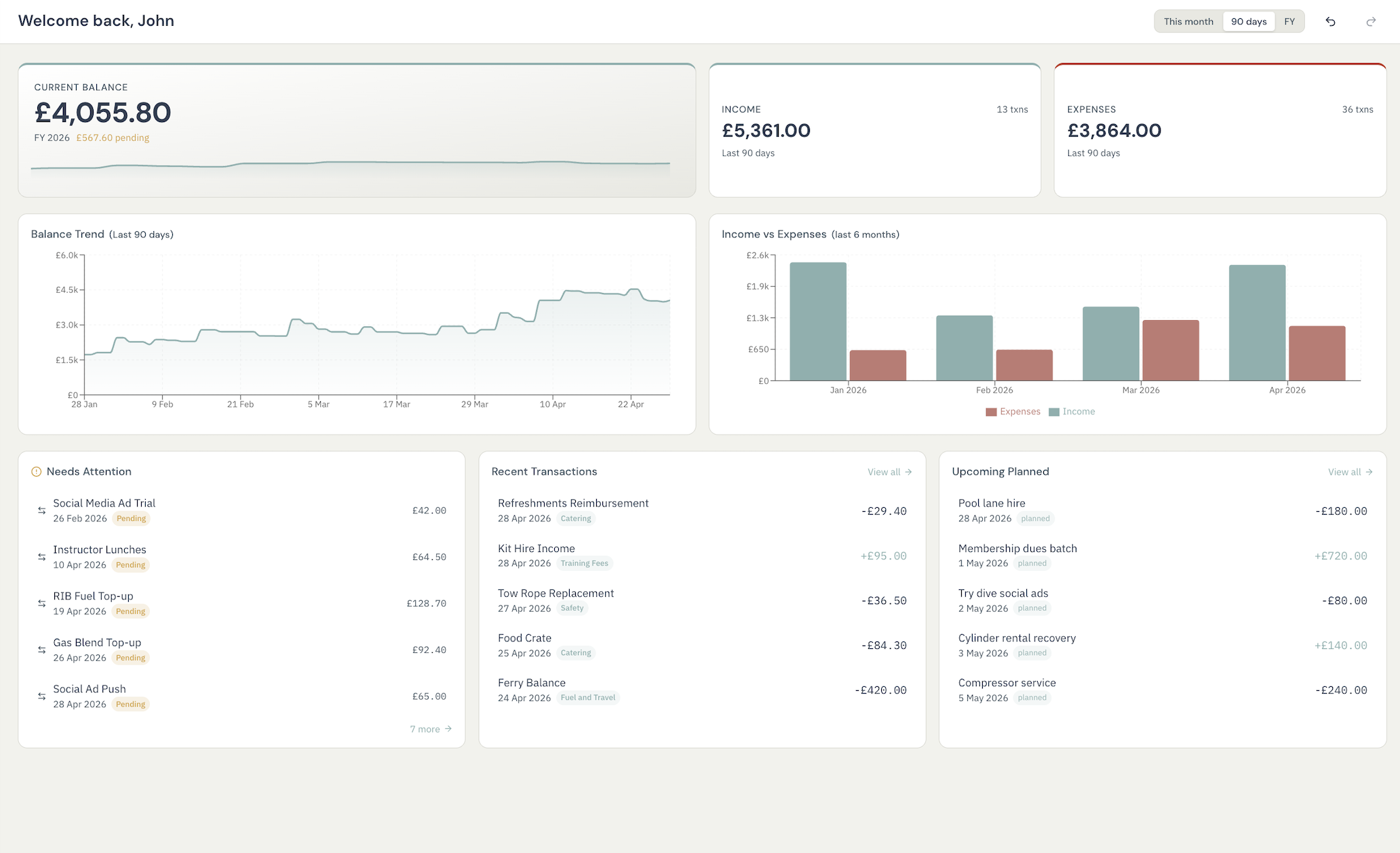
From tracking society dues to planning annual events, Fidra keeps your finances transparent, searchable, and ready for handover.
Log income and expenses with categories, parties, references, and notes. Approve or reject pending items without losing audit context.
Set up recurring templates for rent, subscriptions, member dues, and regular income. Keep projected cash flow visible before problems arrive.
Generate income-versus-expense views by period and export PDF or other reports for treasurer updates, grant paperwork, and AGMs.
Create branded invoices with line items and due dates, then mark them paid to tie billing back into the ledger cleanly.
Group finances by event, project, or campaign so committees can see what is active, what is over budget, and what is already complete.
Full undo and redo across day-to-day actions. Corrections are fast, deliberate, and less stressful during busy handovers or reconciliation sessions.
Choose the sync model that fits your organisation. Both keep the app local-first, and Fidra still works fully offline if you do not need sync at all.
Uses a shared folder as a mailbox, so teams can collaborate without running a server or moving their ledger into a hosted finance platform.
Best for organisations that can provision a Postgres database and want live sync through infrastructure they already control.
The short version of how Fidra is deployed, shared, and kept under control.
Fidra is distributed directly from the project right now, so your operating system may ask for an extra confirmation the first time you install or open it.
Distribution
These builds are published directly from the project while full platform verification is still being set up. Installation works normally, but macOS Gatekeeper or Windows SmartScreen may ask for one extra confirmation before first run.
First launch
In practice, this usually means a one-time approval step on the first install or launch. After that, the app behaves normally on that device.
What to expect on macOS